 Google Analytics is a free tool that many webmasters use to track their website traffic. There are several cool Google Analytics features that have been released in the last month or so, and I thought I would share some of these with you.
Before we dive into the new features, let’s take two seconds to talk about what Google Analytics provides (if you’re a pro, you can skip this section):
- Audience: Find out how many visitors you had, where they live, how many are new vs. returning, how engaged they were on your site, etc.
- Traffic Sources: This set of reports tell you where your visitors came from. Did they come from search engines, referral links, or ad campaigns? What keywords did they use to find you?
- Content: This set of reports help you determine your popular content. It shows which pages your audience visited. This can provide good clues to the type of content on which you should focus.
Alright, now let’s move on to the cool, new stuff!
Email Reports
One of the Google Analytics features I missed the most when they released the new version last year was the ability to set up scheduled emails to send reports to clients.
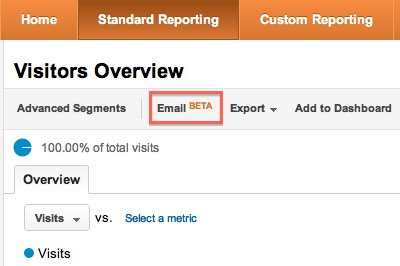
Now it’s back! Simply click on the “Email” button right under the report title (in this case “Visitors Overview”):
You will see a form like this:
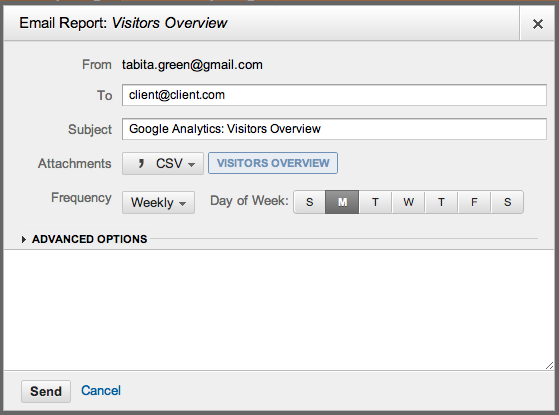
All you have to do is add your recipient’s email address, the format of the report, and how frequently you want to send it. Pretty exciting!
Export PDF Reports
You can also export (download) reports to your computer. The export button is located right next to the email button:
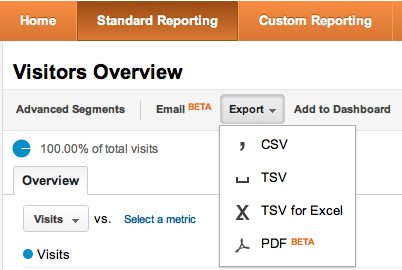
Note the different formats that are available (CSV, TSV, TSV for Excel, and PDF). The PDF report is new and looks really nice. It works great for showing your boss or clients how things are progressing thanks to your hard SEO work.
Social Media Reports
Whether you love or hate social media, you can’t escape it! It is now an integral part of Internet marketing and SEO. As such, you need to know what’s going on in the social sphere.
Thankfully, one of the new Google Analytics features does just that.
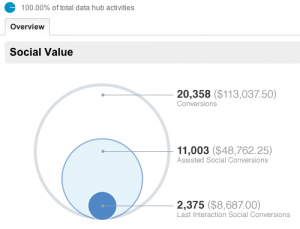
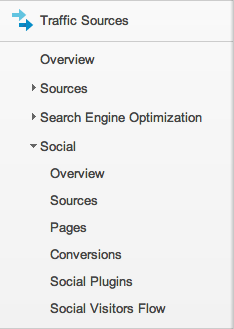
Say hello to “Social” reports! They’re available in the “Traffic Sources” section on the left-hand menu:
Here’s an example of a social report:
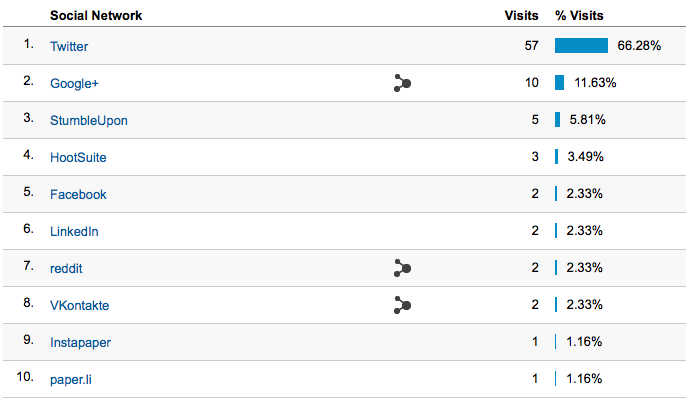
A report like this is really helpful in showing which social media sites are working well for you and give you insight into how you should be spending your precious social media time (’cause there’s only 24 hours in a day – unfortunately).
Events Flow
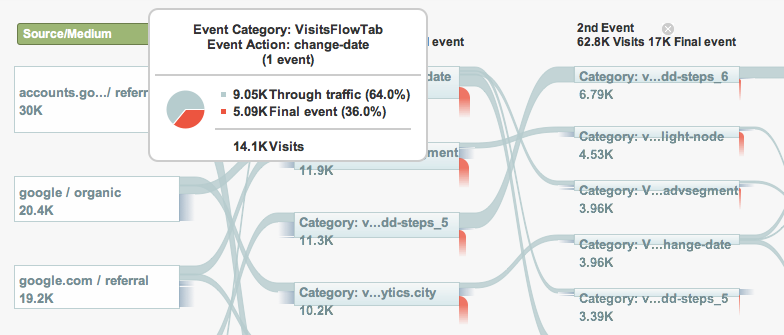
If you have set up events in Google Analytics, you will appreciate this feature. It is a visualization tool that shows “the order in which visitors trigger Events and the popular paths taken from one Event to the next.”
Thanks Google for this screenshot:
Over to You!
What do you think of the new features? Is there a feature that you would like to see added to Google Analytics?
Really it’s to know about Google analytical one more new feature. Actually most of people don’t know all about it like me but after this guidance we can use it in more better way. This is a great place to know more and best about SEO. I liked your SEO guide book. It has lot of good information and something different from other which i liked in which you told how to check or see SEO of website.
Thanks for sharing keep it